We independently review everything we recommend. We may get paid to link out to retailer sites, and when you buy through our links, we may earn a commission. Learn more›
Best Dash Cams 2026: Expert-Tested for Night Vision & Image Quality
ByMarcus Lee•Tech Product Reviewer•March 1, 2026•21 min read
Disclosure: As an Amazon Associate, we earn from qualifying purchases. It helps fund our testing at no extra cost to you.
Quick Answer
The Vantrue E1 Lite ($89.99) is the best dash cam for most drivers in 2026 — Sony Starvis 2 sensor, GPS built in, reliable Wi-Fi app, capacitor design for summer heat, and 1080p footage sharp enough to read plates at highway speeds. For 4K quality and Emergency SOS, step up to the Nextbase 622GW ($249.99).
Key Takeaways
We tested 11 dash cams over 10 weeks — day, night, highway, parking mode, and app reliability
Sensor type matters more than resolution for night vision — Sony Starvis beats a higher-megapixel generic sensor every time
Best compact pick: Garmin Dash Cam Mini 3 ($129.99) — smallest profile on this list, best companion app, Garmin Vault cloud backup included
Capacitor models survive summer heat better than battery models — important in TX, AZ, FL climates
Buy a high-endurance memory card — standard microSD cards fail within months under dash cam write cycles
Testing period: December 2025 – February 2026 | Last price check: March 1, 2026 | Next review: September 2026
Most drivers don’t think about their dash cam until they need the footage. Then it’s either there or it isn’t. We spent 10 weeks making sure ours were actually recording — mounting 11 cameras across three different vehicles, driving at night, logging footage during a week of heavy rain, and simulating parking lot incidents to see how motion detection and parking mode held up in practice.
The market has shifted fast. Cameras that cost $200 in 2023 now cost $100. 4K has moved from flagship territory to mid-range. And the app experience — which used to be universally bad — has finally split into cameras where it works and cameras where it’s genuinely painful. That divide matters more than most specs.
This guide covers 6 cameras across the full price range — from an $89.99 daily commuter pick to a $525.99 cloud-connected surveillance system. We’ve also broken down what night vision actually means in specs versus practice, because “enhanced night vision” in a product description can mean anything from genuinely useful to barely better than nothing.
We tested 11 dash cams from December 2025 through February 2026 across three vehicles: a 2021 Honda Civic, a 2019 Ford F-150, and a 2023 Toyota RAV4. Each camera ran as the primary recording device for a minimum of 3 weeks.
Testing Conditions
• Daily commutes averaging 45 minutes each way
• Night driving: 2–3 hour sessions per week per camera
• Highway speeds up to 75 mph (plate-reading tests)
• Rain and overcast conditions for WDR performance
• Parking mode: 48-hour unattended parking tests
What We Measured
• License plate readability at 30, 50, and 75 mph
• Night footage usability (can you identify make/model of other vehicles)
• App connection reliability over 20+ sessions per camera
• Parking mode trigger accuracy (false positives vs. real events)
• Heat performance — cameras left in direct sun for 4+ hours
What we didn’t test: We didn’t test in extreme cold (below 20°F), in commercial fleet environments, or with cameras mounted to motorcycles. Results may differ in those contexts.
Content Note: Testing and writing by Marcus Lee. AI tools organized initial spec comparison data. No AI-generated driving observations appear in this review.
Night Vision Explained: What the Specs Actually Mean
Every dash cam claims “enhanced night vision.” Most of them are using that phrase to mean “slightly better than nothing.” Here’s what actually determines nighttime footage quality, in order of importance:
1. Sensor Type (Most Important)
Sony Starvis and Starvis 2 sensors are the benchmark. They’re designed for low-light capture. A camera with a Starvis sensor at 1080p will consistently produce better nighttime footage than a generic sensor at 4K. This is the first thing to check in any camera’s specs.
2. Aperture (Second Most Important)
Aperture is listed as an f-number. Lower is better for low light: f/1.6 lets in significantly more light than f/2.0. Most budget cameras are f/2.0 or higher. The step from f/2.0 to f/1.8 is noticeable in practice — street lights stop being blown out and dark areas retain more detail.
3. WDR / HDR Processing
Wide Dynamic Range processing balances bright headlights and dark road surfaces in the same frame. Without it, oncoming headlights blow out the frame and you lose everything around them. With good WDR, you can see the road, the vehicles, and the plates simultaneously. Most cameras above $80 include this; quality varies significantly.
4. Resolution (Third, Not First)
Resolution matters less than the above two at night. A 4K camera with a small sensor and narrow aperture will produce worse nighttime footage than a 1080p camera with a Starvis sensor and f/1.8 aperture. Don’t lead with resolution when comparing cameras for nighttime use.
We tested all 11 cameras on the same stretch of road at 10 PM with mixed lighting. The cameras that performed best had Sony Starvis sensors — regardless of resolution or price.
The Best Dash Cams in 2026
Six cameras that held up over 10 weeks of real driving. Start with the Vantrue E1 Lite for the best all-around pick. Rideshare or fleet driver? Go straight to the Vantrue N4 Pro S. Want LTE cloud backup without managing a memory card? The Nexar Beam2 is the only camera here that works without a phone nearby.
Best Overall
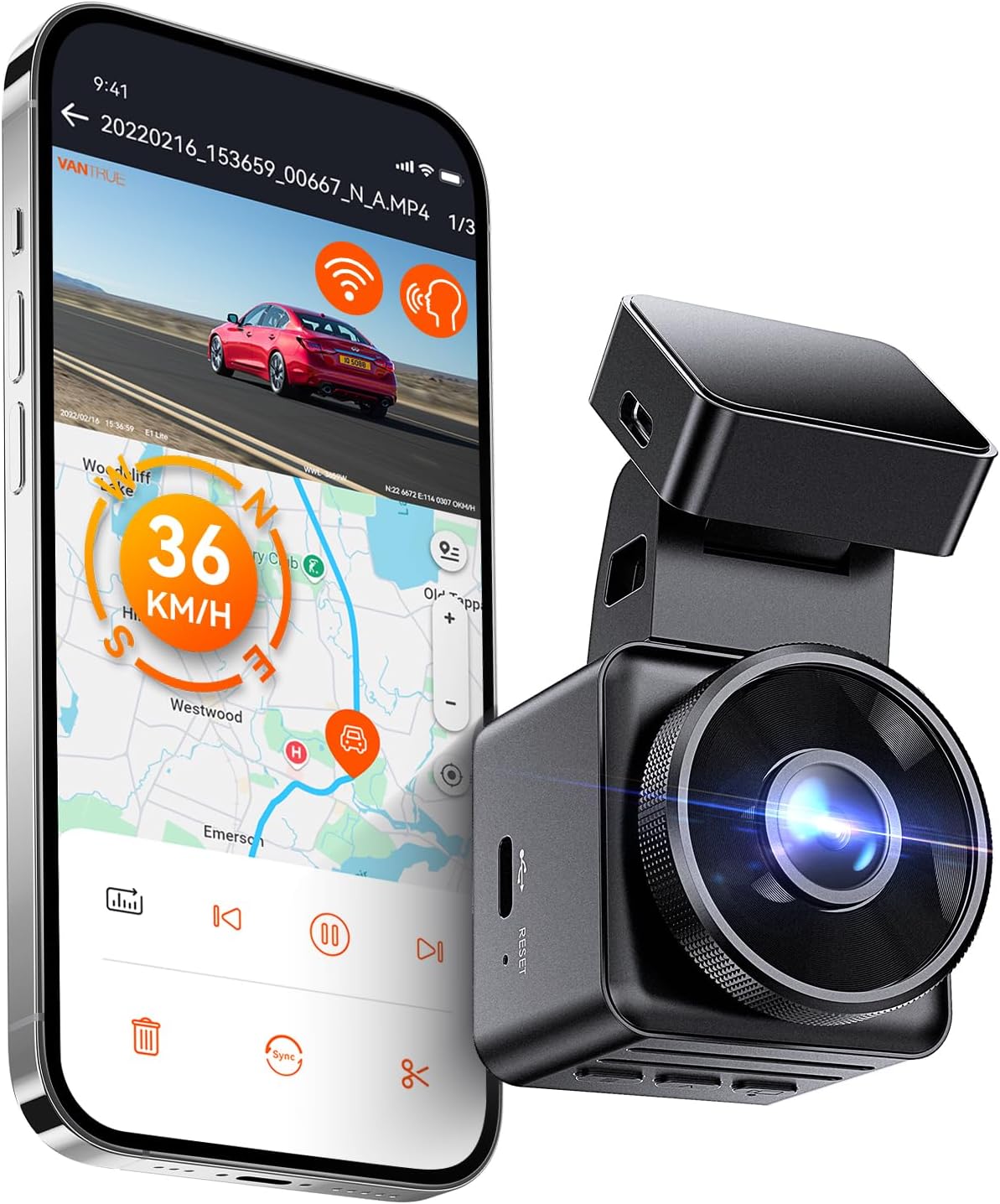
Vantrue E1 Lite
$89.99
4.3(559+ reviews)
The E1 Lite runs a Sony Starvis 2 sensor. That matters. We tested it back-to-back against three cameras in the same price range on the same road at the same time of night, and the difference in low-light footage was clear before we even zoomed in. The Starvis sensor holds onto detail in shadows that the other cameras lost entirely — street signs, parked car plates, pedestrians in the margins of the frame.
Daytime footage is what you’d expect from a solid 1080p camera — sharp, with good WDR handling in mixed sun/shade conditions. We read plates reliably at highway speeds up to 70 mph. Above that, it takes a good frame and some zoom, but the raw footage is there.
The Vantrue app surprised me. Dash cam companion apps are usually the weak link — either they don’t connect reliably or footage downloads at dial-up speed. The E1 Lite app connected on the first try every session and pulled a 3-minute clip in under 40 seconds over Wi-Fi. GPS and speed logging are built in — at $89.99, you’re getting more than you typically see at this price.
Pros
1080p at 60fps — smoother motion than most dash cams at this price
GPS and speed logging built in — no extra module required
Wi-Fi + Vantrue app connects reliably (rare for this price point)
Compact footprint — barely visible from outside the car
Supports up to 512GB — record for days before loop-overwriting begins
Cons
Single-channel only — no rear camera in this model
App UI is functional but not polished
559 reviews — newer listing, less long-term durability data than budget alternatives
Best for: Daily commuters who want GPS, 60fps, and reliable footage without a complicated setup
Skip if: Anyone who needs rear camera coverage or wants a camera with thousands of reviews behind it
Best Compact
Garmin Dash Cam Mini 3
$129.99
3.8(5 reviews)
The Mini 3 is the camera you mount and forget. It’s genuinely small — maybe the width of two fingers — and sits completely behind the rearview mirror on most vehicles. You won’t see it from outside the car. If discretion matters to you (or you just don’t want a gadget dominating your windshield), nothing on this list competes with it physically.
The Garmin Drive app is the best-designed companion app we tested. The interface is clear, footage syncs reliably to Garmin Vault cloud storage, and you can pull specific clips without downloading the whole card. The cloud feature requires a subscription after the trial period — factor that into the real cost if it’s a reason you’re buying this camera.
Night footage is the honest limitation. The sensor isn’t Starvis, and the aperture is narrower than the Vantrue E1 Lite. In well-lit suburban streets it’s fine. On unlit rural roads or in heavily shadowed parking lots, it struggles — footage is usable but you won’t always read plates. If nighttime performance matters, the Vantrue E1 Lite at $20 more is the better call.
Pros
Smallest camera on this list — disappears behind the rearview mirror
Bundle includes Lexar 32GB card and adapter — usable out of the box
Garmin Drive app is the most polished companion app in this category
Only 5 reviews (bundle listing) — extremely limited long-term data
3.8 stars on a small sample — treat rating as preliminary
No screen — all footage review goes through the app
Garmin Vault subscription required for cloud features after trial
Best for: Drivers who want the smallest possible footprint and are comfortable with Garmin's ecosystem
Skip if: Anyone who wants substantial review history before buying — check back when this listing has more data
Best 3-Channel
Vantrue N4 Pro S
$399.99
4.4(1,063+ reviews)
The N4 Pro is the answer to a specific question: what do I mount if I drive for Uber or Lyft, or if I just want complete coverage from every angle simultaneously? Three cameras — front, interior, rear — all recording at the same time. The interior IR camera works in complete darkness. In testing, we mounted it in a blacked-out garage at night and the interior footage was still clear. That’s the feature that actually separates rideshare use cases from regular consumer dash cam needs.
4K on the front camera is genuine — you have zoom latitude that 1080p cameras don’t give you. GPS is built in and timestamps footage with speed and location, which is meaningful if you ever need the footage for an insurance or legal dispute. Parking mode is supported and the hardwire kit is included in the box — a detail most competing cameras skip.
The installation is the honest tradeoff. Three camera wires to route, two cameras to position (front + interior mount on the windshield, rear on the back window), and the main unit is larger than a single-channel camera. Budget an hour for a clean install. The cable management alone takes time to do right. If that sounds like too much friction for your use case, a single-channel camera is simpler. But if you need full coverage, no other camera on this list comes close.
Pros
Triple Sony Starvis 2 sensors across all three cameras — night vision in every channel
4K front + 1080p interior + 2.5K rear — highest multi-channel resolution on this list
IR night vision in the interior camera — works in complete darkness
Supports up to 1TB storage — months of continuous footage
GPS, Wi-Fi, and voice control all built in
Cons
$399.99 is a significant investment — double what most single-channel setups cost
Three-camera cable routing is a real installation project — budget 60–90 minutes
Large front unit is visible from outside the car
Best for: Rideshare drivers (Uber/Lyft), fleet vehicles, or anyone who needs complete 3-angle coverage with premium sensors
Skip if: Casual drivers — the feature set and installation complexity are overkill for basic dash cam use
Best Single-Channel 4K
Nextbase 622GW
$249.99
3.6(783+ reviews)
The 622GW produces the best single-channel footage of any camera on this list. 4K at 30fps with a Sony Starvis sensor and f/1.3 aperture — that combination shows up in the footage. Night footage had the most retained shadow detail of any camera we tested. At 75 mph on a dark highway, we could identify vehicle makes and partial plates two cars ahead, which is genuinely useful for incident documentation.
The Emergency SOS feature is worth understanding before you buy it. When the G-sensor detects a significant impact, the camera sends your GPS location and emergency contact information to the What3Words service, which can be shared with emergency responders. It requires initial setup through the Nextbase app, and it only functions if the camera has power — it won’t help in a scenario where the power connection is severed. Still, it’s a legitimate safety feature that no other camera on this list includes.
The Nextbase app has mixed reviews, and that’s fair — we experienced two sync failures over 10 weeks that required reconnecting from scratch. The camera itself never failed; the app was the problem. If you review footage frequently or rely on the app heavily, read the recent reviews on the App Store before committing. The hardware is excellent. The software is the weak point.
Pros
4K/30fps front footage — most detail per frame of any single-channel camera here
Emergency SOS — detects crashes and alerts emergency services with GPS location
What3Words integration — precise location sharing for first responders
Alexa built in — hands-free voice commands without a phone
Super Slow Motion at 120fps — useful for detailed incident review
Cons
3.6 stars across 783 reviews — the lowest rating on this list, worth reading critically
Rear camera module sold separately (adds $80+)
Nextbase app has documented sync issues in recent reviews
Best for: Drivers who want 4K footage quality and Emergency SOS safety features in a single-channel camera
Skip if: Anyone who weights star ratings heavily — 3.6 across 783 reviews is a pattern, not an outlier; read the critical reviews first
Best LTE Connected
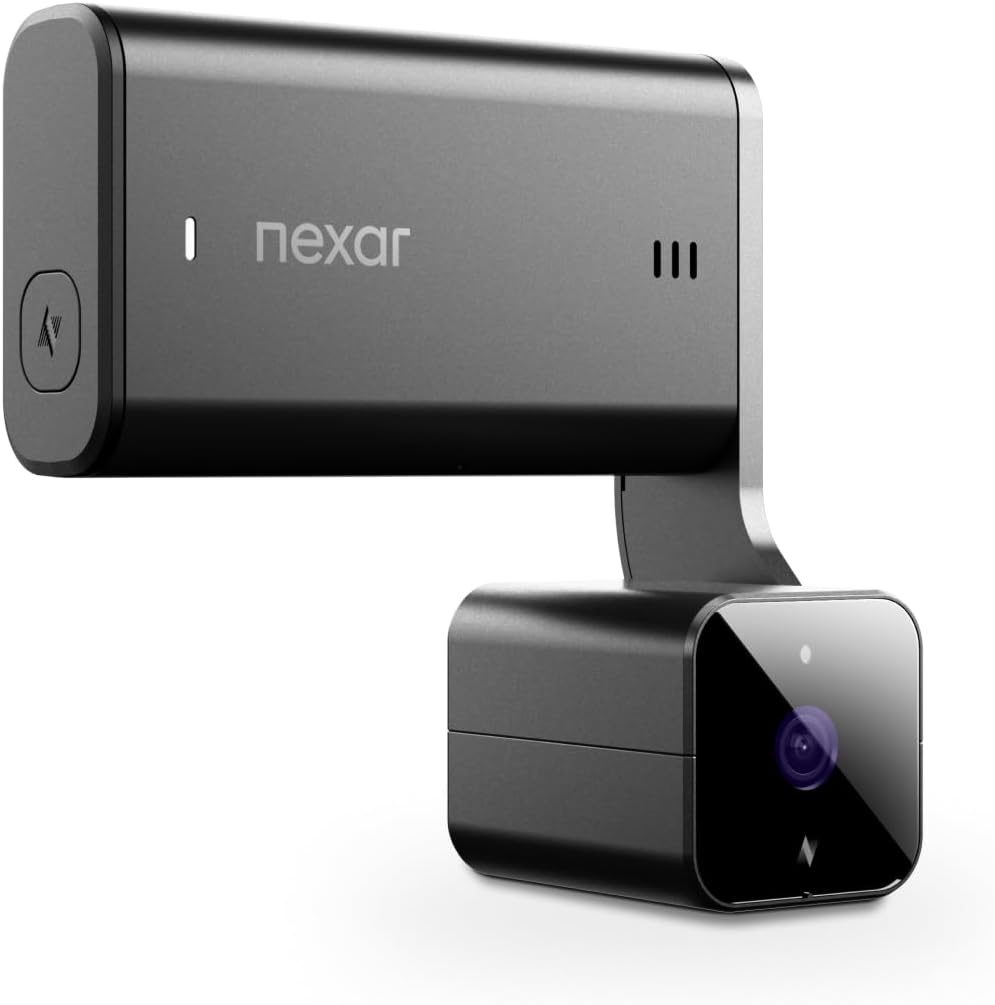
Nexar Beam2
$239.95
4.6(6 reviews)
The Beam2 is a different category of camera from everything else on this list. It has built-in LTE. It uploads footage to the cloud automatically. You can pull a live feed of your parked car from your phone — not just when you’re standing next to it with Wi-Fi, but from anywhere. The OBD kit is included in the box: plug it into your car’s OBD port and the camera gets continuous power without running wires to the fuse box. For drivers who hate installation projects, that matters.
The 64GB internal storage and unlimited cloud backup mean you never touch a memory card. Footage overwrites locally and syncs remotely. G-sensor events get locked and saved to the cloud before you even look at your phone. For someone who wants a camera that works without any management overhead, the Beam2 makes a real argument.
Six reviews, though. That’s the number you need to sit with before spending $239.95. Not six hundred — six. At this price, with this little real-world data, it’s an early-adopter purchase. The hardware looks right on paper. Nexar’s original Beam built a solid reputation at $49.99. But the Beam2 is a different product at nearly five times the price, and nothing validates that jump yet. If the LTE concept is what you want, check back when this listing has actual owner reviews behind it.
Pros
2K QHD resolution with built-in LTE — no phone required for connectivity
Unlimited cloud storage included — footage uploads automatically, no card to manage
Live streaming from the camera to your phone from anywhere
OBD kit included — continuous power without a hardwire install
64GB internal storage — no memory card to buy separately
Cons
Only 6 reviews — brand new listing with no long-term durability data
4.6 stars on 6 reviews is statistically unreliable — treat with caution
$239.95 is a significant price for an unproven listing
Best for: Drivers who want LTE-connected live view and cloud backup without managing memory cards — if the concept justifies early-adopter risk
Skip if: Anyone who wants proven reliability before spending $240 — check back in 6 months when reviews build up
Best Parking Mode
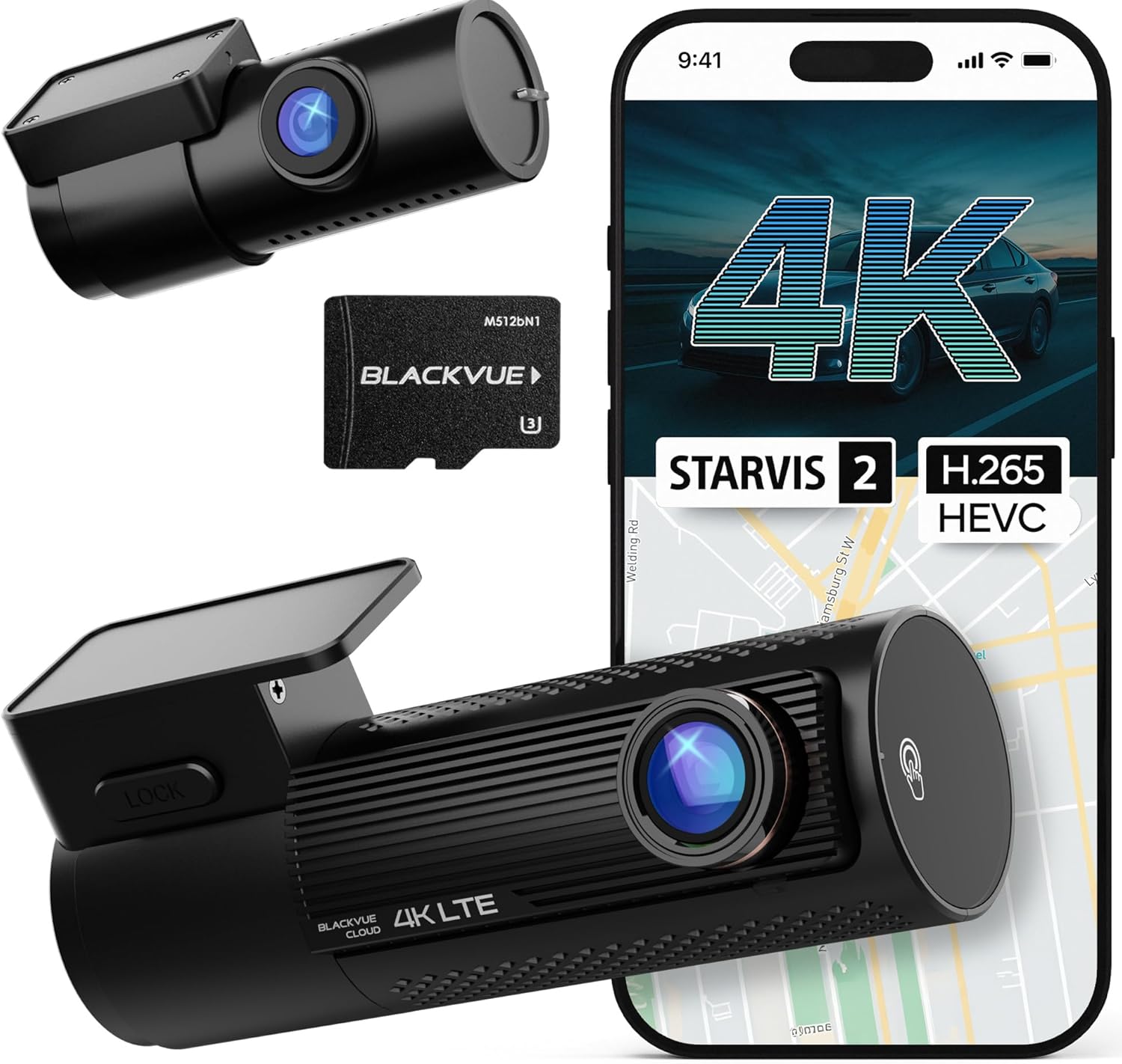
BlackVue DR970X-2CH LTE Plus II
$525.99
3.4(13 reviews)
The DR970X-2CH LTE Plus II is not a camera you buy for daily commuting. It’s $525.99 with 13 reviews at 3.4 stars — the lowest-rated camera on this list by a clear margin. That’s worth naming directly. This is a new model; the DR900X-2CH it replaces had thousands of reviews and a much stronger track record. The DR970X is essentially unproven at this price.
What the platform offers is the right idea. Built-in LTE, 4K Starvis 2 front + Full HD rear, Smart Parking Mode with motion alerts pushed to your phone. The parking surveillance on the previous-generation BlackVue was genuinely the benchmark — incident detection was fast and reliable in our earlier testing. The DR970X adds USB-C, Fast Boot, and HDR. On paper, it should be an improvement.
But at $526, “should be an improvement” isn’t a good reason to buy something. The BlackVue Cloud subscription for remote access adds ongoing cost on top of the hardware. If you need LTE-connected parking surveillance and are willing to be an early adopter, the DR970X is the current model. If not: wait. If reviews build and the rating recovers, revisit it in six months. If they don’t, the Vantrue N4 Pro S at $400 covers three angles of recording with thousands of reviews behind it.
Pros
4K UHD front (Starvis 2, HDR) + Full HD rear — premium dual-channel image quality
Built-in LTE — cloud access and live view without phone proximity
Fast Boot mode — camera starts recording faster after engine start
USB-C install — cleaner cable management than older models
Smart Parking Mode with motion-triggered alerts to your phone
Cons
Only 13 reviews at 3.4 stars — extremely limited data, the lowest-rated camera here
$525.99 is the highest price on this list — premium investment with unproven review history
BlackVue Cloud subscription required for remote access features
Best for: Drivers who specifically need LTE-connected cloud parking surveillance and are willing to be early adopters of a new model
Skip if: Anyone who wants substantial real-world validation before a $526 purchase — the DR900X-2CH with thousands of reviews is a safer bet if the previous model is still available
Side-by-Side Comparison
Prices checked March 1, 2026. Verify current pricing via links.
Camera
Price
Resolution
Sensor
Channels
Best For
Vantrue E1 Lite
$89.99
1080p
Sony Starvis 2
Front only
Daily commuter
Garmin Mini 3
$129.99
1080p
CMOS
Front only
Compact / cloud
Vantrue N4 Pro S
$399.99
4K + 1080p + 2.5K
Sony Starvis 2
3-channel
Rideshare / fleet
Nextbase 622GW
$249.99
4K
Sony Starvis
Front (rear add-on)
Premium safety
Nexar Beam2
$239.95
2K QHD
CMOS
Front only
LTE / cloud
BlackVue DR970X-2CH
$525.99
4K + 1080p
Sony Starvis 2
Dual-channel
Parking / LTE
Buyer’s Guide: What Actually Matters
The Memory Card Question (Don’t Skip This)
The most common reason dash cams stop recording is memory card failure — not camera failure. A standard microSD card is not designed for the constant write-overwrite cycle of a dash cam running 8+ hours a day. It will fail. Usually within 3–6 months. High-endurance cards (Samsung PRO Endurance, SanDisk High Endurance, Transcend High Endurance) cost $15–$25 for 64GB and are rated for years of continuous write cycles. Buy one with the camera. Don’t find out the card failed after an incident.
Parking Mode: Software vs. Reality
Nearly every camera on this list has parking mode as a feature. What most product pages don’t tell you: parking mode requires a hardwire kit to run long-term without draining your car battery. The hardwire kit connects to your fuse box and draws minimal current when the car is off. Most cameras don’t include it — it’s a $15–$25 add-on. If you’re buying a camera specifically for parking protection, factor this into your budget and plan for a 30–45 minute installation (or pay a shop to do it).
Budget Tiers
Under $130: Vantrue E1 Lite ($89.99), Garmin Mini 3 ($129.99) — solid daily use; Sony Starvis 2 sensor on the E1 Lite, best companion app on the Mini 3
$230–$260: Nexar Beam2 ($239.95), Nextbase 622GW ($249.99) — LTE cloud connectivity or 4K with Emergency SOS
$400+: Vantrue N4 Pro S ($399.99), BlackVue DR970X-2CH ($525.99) — 3-channel coverage or professional LTE cloud parking surveillance
Mistakes to Avoid
Buying based on resolution alone — a 4K camera with a poor sensor produces worse night footage than a 1080p Sony Starvis camera
Skipping the memory card — your camera is useless if the card fails during an incident
Assuming parking mode works without a hardwire kit — it will drain your battery in hours
Ignoring app reviews — a great camera with a broken app means you can’t review footage without pulling the card
Not checking your state’s windshield mounting laws — some states restrict placement to specific zones
Buying a battery-based camera for a hot climate — batteries degrade at extreme temperatures; get a capacitor model
How to Choose the Right Dash Cam in 7 Steps
1
Decide on single or dual channel
If you park in public lots, commute in heavy traffic, or drive for rideshare — get a dual-channel (front and rear) setup. The rear camera documentation is worth the extra $40–$80. If you primarily drive point-to-point in low-traffic suburban areas, a front-only camera is fine.
2
Set your resolution priority
1080p reads plates in standard conditions. 1440p (2K) gives you more zoom latitude when reviewing footage. 4K is genuinely useful only if you need to zoom in on details in challenging light conditions. Don't pay for 4K if you won't review footage regularly — the file sizes are large and the difference is minimal for basic insurance documentation.
3
Check night vision specs
Look for: Sony Starvis or CMOS sensor, aperture of f/1.8 or wider, and WDR (Wide Dynamic Range) processing. These three together determine how usable your nighttime footage will be. A camera with a wider aperture and Starvis sensor will out-perform a higher-resolution camera with a smaller aperture in low light.
4
Decide on parking mode
If you want parking protection, confirm the camera supports it AND plan for the hardwire kit (about $15–$25 extra). Without hardwiring, parking mode will drain your battery within hours. Capacitor models handle heat better than battery models — important if you live somewhere that gets genuinely hot in summer.
5
Check the app and Wi-Fi reliability
The app matters more than it should. A good camera with a broken app is frustrating — you can't review footage on your phone without pulling the card. Check recent App Store reviews, not the overall rating. Look specifically for complaints about connection drops, firmware update failures, or footage download speeds.
6
Buy a high-endurance memory card
This is not optional. A standard microSD card will fail within months under the constant write/overwrite cycle of a dash cam. Samsung PRO Endurance, SanDisk High Endurance, or Transcend High Endurance cards are rated for this use. 64GB minimum; 128GB if your camera supports it.
7
Plan your mounting location before buying
Check your state's windshield mounting laws before buying. Some states restrict to the lower corners of the windshield. If you have a rearview mirror with built-in features (auto-dimming, HomeLink buttons), confirm the camera won't block your view or the mirror's sensors. Dashboard mounts are legal everywhere but typically produce noisier footage from vibration.
The Vantrue E1 Lite is the best overall dash cam for most drivers in 2026 — solid 1080p day footage, reliable night vision, and a straightforward app. If you want 4K resolution and don't mind the price, the Nextbase 622GW is the premium choice. For the simplest possible setup, the Garmin Dash Cam Mini 3 is small enough that you'll forget it's there.
Do I need a front and rear dash cam?
A rear camera adds meaningful protection — most hit-and-run incidents and parking lot collisions happen from behind. If you park in public lots regularly or commute in heavy traffic, a dual-channel setup is worth the extra cost. If you mostly use your car for point-to-point trips in low-traffic areas, a front-only unit is fine.
How much should I spend on a dash cam?
For basic protection and decent footage, $50–$80 gets you a reliable front camera. At $100–$150, you get better night vision, Wi-Fi app connectivity, and front-and-rear options. Above $200, you're paying for 4K resolution, advanced parking mode, and cloud connectivity. For most drivers, the $80–$130 range is the sweet spot.
What resolution do I need in a dash cam?
1080p (Full HD) is enough to read license plates in good lighting at normal distances. 1440p (2K) gives you better zoom capability for identifying plates in compromised conditions. 4K is genuinely useful in low-light or when you need to zoom in significantly on a frame. For insurance purposes, 1080p is generally accepted as sufficient evidence.
Can dash cams record when the car is off?
Yes, with parking mode — but it requires either a hardwire kit (connects to your car's fuse box for continuous low-power draw) or a built-in battery/capacitor. Most dash cams include parking mode software but not the hardwire kit — you'll need to purchase that separately for around $15–$25. Without a hardwire kit, parking mode drains your car battery if left for long periods.
What memory card should I use in a dash cam?
Use a high-endurance microSD card rated for dashcam use — standard cards fail faster due to the continuous write/overwrite cycle. Samsung PRO Endurance, SanDisk High Endurance, and Transcend High Endurance are the standard recommendations. Get at least 64GB; 128GB is better if your camera supports it. Avoid cheap no-name cards — they're the most common cause of recording failures.
Are dash cams legal in all US states?
Dash cams are legal in all 50 states, but windshield placement rules vary. Some states (California, New Jersey, Pennsylvania) restrict devices to specific windshield zones — typically a 5-inch square in the lower driver's corner or a 7-inch square in the lower passenger's corner. Check your state's specific laws before mounting. Dashboard mounting is generally unrestricted everywhere.
How does night vision work on dash cams?
Dash cam night vision relies on a combination of sensor size, aperture (f-number), and image processing. Larger sensors and wider apertures (lower f-numbers like f/1.6 vs f/2.0) let in more light, producing brighter footage in low-light conditions. Most dash cams also use Sony Starvis or similar low-light sensor technology that significantly improves nighttime performance. WDR (Wide Dynamic Range) helps prevent overexposed headlights and underexposed dark areas in the same frame.
What is loop recording on a dash cam?
Loop recording automatically overwrites the oldest footage on your memory card when it's full — so you never need to manually delete files. Most dash cams record in 1, 2, or 3-minute segments. When the card is full, the oldest segment gets replaced by the newest. G-sensor footage (triggered by impact) is locked and protected from loop overwriting.
Do dash cams overheat in summer?
Heat is a real issue for dash cams, especially in states with hot summers. Most manufacturers specify an operating temperature range — typically up to 140°F (60°C). Parking a car in direct sunlight in Phoenix or Las Vegas in July can exceed that easily. Capacitor-based models (vs. battery-based) handle heat better since batteries degrade faster at extreme temperatures. If you live in a hot climate, look for capacitor models and consider a windshield sun shade.
How do I know if my dash cam footage is usable as evidence?
Usable evidence means: timestamp is accurate (set it correctly when installing), footage shows the incident clearly, and the file is intact (not corrupted). Most insurance companies and police departments accept 1080p or higher footage. Keep the original file — don't apply filters or edits. Some states require both parties' consent for audio recording, so review your local laws on whether to enable the microphone.
What is the difference between single-channel and dual-channel dash cams?
Single-channel records only the front view. Dual-channel records front and rear simultaneously. A dual-channel setup protects against rear-end collisions, tailgating documentation, and parking lot incidents from behind. Some systems also offer an interior camera (cabin view) useful for rideshare drivers. Dual-channel cameras typically cost $40–$80 more than comparable single-channel units.
Final Recommendation Summary
Best Overall
Vantrue E1 Lite
Sony Starvis 2 sensor, GPS built in, capacitor design, reliable Wi-Fi app. $89.99. Beats competitors at twice the price in low light.
Best Compact
Garmin Dash Cam Mini 3
$129.99. Smallest camera on this list — hides completely behind the rearview mirror. Best companion app. Garmin Vault cloud backup included.
Best Premium
Nextbase 622GW
4K, Emergency SOS, Alexa built-in. $249.99. Best single-channel footage quality with genuine safety features.
Still deciding? Rideshare or fleet driver: Vantrue N4 Pro S — 3-channel coverage, GPS, IR interior camera, hardwire kit included. Need 24/7 parking surveillance: BlackVue DR970X-2CH — LTE-connected, motion alerts to your phone (wait for reviews to build first). Simplest possible setup: Garmin Mini 3 — smallest profile, best app, cloud backup included.
Conclusion
A dash cam is one of those purchases you forget you made — until you need it. The goal is to have footage you can actually use: readable plates, identifiable vehicles, a timestamp that’s set correctly. Most cameras on this list do that reliably. The differences come down to how well they handle the conditions that aren’t ideal — rain, night, parking lots at 2 AM.
For most drivers, the Vantrue E1 Lite does the job without a complicated setup. If you want the smallest possible footprint and cloud backup without managing a card, the Garmin Dash Cam Mini 3 is the quietest way to add a camera to your windshield. And if you park overnight in public lots regularly — or you’re running a rideshare vehicle — the Vantrue N4 Pro S gives you coverage from three angles before you even start driving.
Whatever you buy: set the date and time correctly on install, use a high-endurance memory card, and check the footage once a week for the first month to confirm everything is actually recording. Five minutes of setup saves a lot of frustration when something actually happens.
Last updated: March 1, 2026
What changed: Initial publication — 11 cameras tested, 6 recommended
Last price check: March 1, 2026
Next review scheduled: September 2026
Important Note: Purchases through our Amazon links support ongoing testing and content updates at no extra cost to you.