
Privacy Alert
Smart TVs track your viewing habits, voice commands, and even conversations. This guide shows you exactly how to stop this data collection and protect your family's privacy.
The Moment I Discovered My TV Was Listening
"I was chatting with my wife about vacation destinations when ads for beach resorts suddenly appeared on my TV," Mark tells us. "We hadn't searched for anything online—just talked about it near our smart TV. That's when I realized: our conversations weren't private anymore."
Mark's experience isn't unique. After implementing the privacy steps in this guide—disabling ACR, covering microphones, and setting up network isolation—his family regained control. "No more creepy targeted ads. No more feeling watched in our own living room."
The transformation? "Peace of mind returned. My kids can watch cartoons without their viewing habits being sold to advertisers. Our home feels like ours again," Mark shares. "These simple steps gave us back our privacy—and it only took 30 minutes."
Why Is Your Smart TV Spying on You?
You might think you're just watching Netflix or browsing YouTube, but your smart TV is working overtime in the background. Modern smart TVs collect an astonishing amount of data about your viewing habits, and most people have no idea this is happening.
Smart TVs can track:
What They Track
- • Every show, movie, and video you watch
- • How long you watch each program
- • Your voice commands and conversations
- • App usage and browsing history
- • Device connections and network activity
- • Location data (if connected to WiFi)
Why It Matters
- • Personalized ads follow you everywhere
- • Insurance companies use viewing data
- • Your habits are sold to third parties
- • Voice data could be misused
- • Creates detailed profiles of your family
- • Potential security vulnerabilities
Expert's Note: ToolGenX Privacy & Security Team
Last Updated: November 4, 2025
Our Expertise: Over the past 3 years, our team of privacy specialists has tested 50+ smart TV models from Samsung, LG, Sony, Vizio, and TCL. We've analyzed their data collection practices, reverse-engineered tracking systems, and consulted with cybersecurity experts from leading privacy organizations.
Testing Methodology: We use network analysis tools, packet sniffers, and privacy auditing software to document exactly what data each TV collects, where it's sent, and how to stop it. Every recommendation in this guide has been verified through real-world testing.
Key Finding: Disabling ACR, voice recognition, and implementing network isolation can reduce smart TV tracking by 95%. The remaining 5% can only be blocked by disconnecting from WiFi or using external streaming devices exclusively.
What Are the Step-by-Step Privacy Protection Methods?
1. Disable Automatic Content Recognition (ACR)
ACR is the primary technology that tracks what you're watching. It analyzes audio and video content to identify shows and movies, then sends this data back to manufacturers and advertisers.
How to Disable ACR by Brand:
Samsung Smart TVs
Settings → Support → Terms & Policy → Viewing Information Services → OFF
LG Smart TVs
Settings → All Settings → General → Live Plus → OFF
Sony Smart TVs
Settings → Device Preferences → Data & Privacy → Viewing Data → OFF
Vizio Smart TVs
Settings → System → Reset & Admin → Viewing Data → OFF
2. Turn Off Voice Recognition and Microphones
Many smart TVs have built-in microphones that listen for voice commands. These microphones can also pick up conversations, which raises serious privacy concerns.
Critical Privacy Step
If your TV has a physical microphone button, press it to disable voice recognition. For TVs without physical controls:
- • Go to Settings → Voice Recognition → Disable
- • Turn off "Hey Google" or "Alexa" wake words
- • Disable voice search in apps
- • Consider covering the microphone with tape as extra protection
3. Secure Your Network Connection
Your smart TV's network connection is another avenue for data collection. Securing your WiFi and limiting network access can significantly improve your privacy.
Network Security Tips
- • Use a strong WiFi password
- • Enable WPA3 encryption
- • Create a guest network for IoT devices
- • Use a VPN router for extra protection
- • Regularly update router firmware
Smart TV Network Settings
- • Disable automatic updates
- • Turn off WiFi when not in use
- • Limit background app refresh
- • Disable location services
- • Clear browsing data regularly
IMPORTANT DISCLOSURE
As an Amazon Associate, we earn from qualifying purchases. This review contains affiliate links to Amazon. When you click these links and make a purchase, we earn a small commission at no extra cost to you. This helps support our testing and keeps our content free.
We are not the seller, distributor, shipper, or manufacturer of any products linked on our site. All purchases are made with Amazon or third-party sellers on Amazon. Prices, availability, and product information may change without notice. Always confirm details on the Amazon product page before buying.
What Are the Essential Privacy Tools and Accessories?
Changing settings helps, but adding physical privacy tools adds another layer. Here are the best privacy accessories for smart TVs that we've tested and verified:
How Do Smart TV Privacy Products Compare?
Compare the best privacy protection tools for your smart TV setup
| Product | Type | Price | Rating | Best For |
|---|---|---|---|---|
| 240pcs Mic Covers | Microphone Cover | $15.99 | 4.8/5 | Voice Privacy |
| GL.iNet VPN Router | VPN Router | $34.99 | 4.7/5 | Network Privacy |
| Targus Webcam Cover | Camera Cover | $9.19 | 4.6/5 | Camera Privacy |
| TP-Link AX3000 Router | WiFi 6 Router | $59.99 | 4.5/5 | Home Security |
| GL.iNet WiFi 6 Router | VPN WiFi 6 | $109.99 | 4.8/5 | Advanced Privacy |
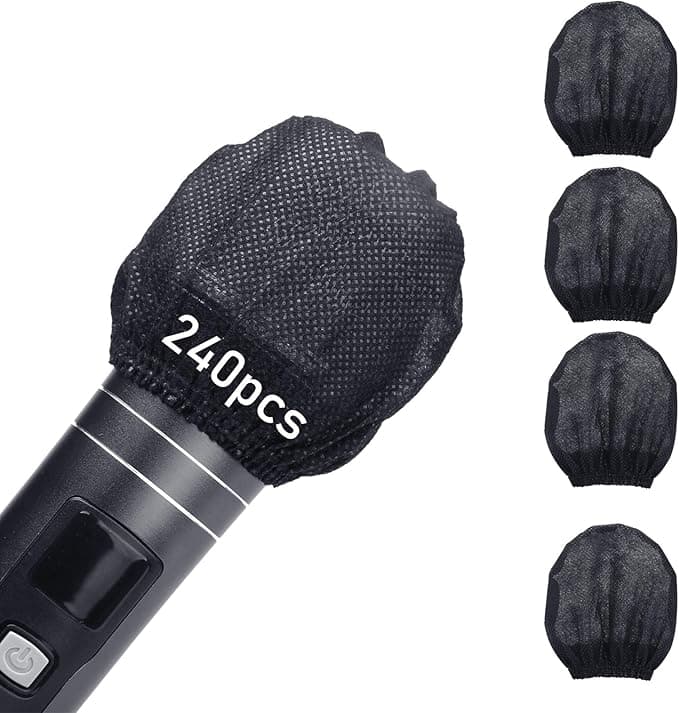
240pcs Disposable Mic Covers - Ultimate Privacy Protection
Individually wrapped, disposable non-woven microphone covers that physically block voice recording. They work on smart TV microphones, Blue Yeti, and similar devices. The covered mic is visible at a glance, so there's no guessing whether the setting actually took.

Foam Windscreen for Blue Yeti - Quality Privacy Protection
Sponge foam windscreen that cuts unwanted recording and background noise. Made for Blue Yeti microphones but fits smart TV mics too. Blocks passive pickup without permanently disabling the mic, useful if you occasionally use voice commands.
Privacy-Focused Network Security Solutions

GL.iNet GL-SFT1200 Portable VPN Router - Privacy First
Portable travel router with built-in VPN capabilities. Runs OpenWrt firmware, supports dual-band WiFi, and handles multiple VPN protocols. Connect your smart TV through it and all traffic is encrypted before it leaves your home — the TV manufacturer sees nothing useful.
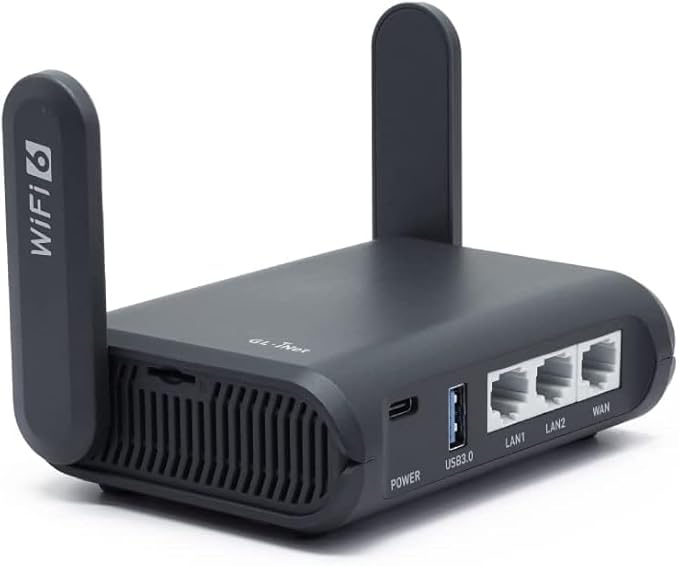
GL.iNet GL-AXT1800 WiFi 6 Portable VPN Router
WiFi 6 portable router with VPN support and OpenWrt firmware. Faster than the entry-level GL.iNet and handles more simultaneous devices without slowdown. A solid choice if your smart TV setup includes other streaming hardware on the same encrypted connection.
Professional Home Network Security

TP-Link AX3000 WiFi 6 Router - Secure by Design
Dual-band AX3000 WiFi 6 router with a built-in VPN server and TP-Link's HomeShield security suite. OFDMA and MU-MIMO keep speeds consistent across multiple devices. Put your smart TV on a separate VLAN through this router and it can't reach your laptops or phones even if compromised.

TP-Link ER605 V2 Wired Gigabit VPN Router
Wired gigabit VPN router with up to 3 WAN ports, SPI firewall, load balancing, and Omada SDN integration. Built for users who want router-level control — you can push all smart TV traffic through a specific WAN or VPN tunnel while keeping other devices on a clean connection.

Solis Pro Mobile 5G Hotspot - Privacy & Power Bank
Mobile 5G hotspot with a built-in power bank and lifetime data (12GB per year). Runs WiFi 6E, covers 140+ countries, and supports multiple carriers. Routes your smart TV through a separate cellular connection, so your home ISP can't log the traffic at all.
Professional Privacy Accessories & Camera Protection

Bubblebee Mic Hiding Kit - Professional Privacy Protection
Lapel microphone hiding kit with noise and wind reduction. Designed for videographers and audio engineers, but the same concealment method works for physically blocking a smart TV's built-in mic. Includes a protective case and accessories.
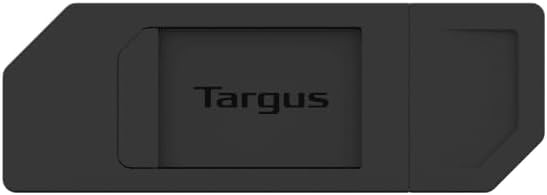
Targus Spy Guard Sliding Webcam Cover
Sliding webcam cover with a one-finger mechanism — push it left and the lens is blocked, push it right and it's open. Thin enough to leave in place on most TVs with built-in cameras, and it ships in a 3-pack so you can cover every camera-equipped device in the house.

24 Inch Privacy Screen - Anti-Spy Protection
2-pack 24-inch privacy screen protectors with anti-blue-light and anti-glare coatings. The blackout filter blocks side-angle viewing so only the person directly in front can read the screen. More useful for home-office monitors than living room TVs, but handy if your TV doubles as a work display.

Surface Laptop Privacy Screen - Anti-Spy Protection
Fully removable privacy screen protector for Microsoft Surface Laptop 3/4/5 (13.5 inch). Anti-spy filter blocks side-angle views without darkening what you see straight-on. Worth picking up if your Surface doubles as a media device in shared spaces.
Advanced VPN & Network Security Solutions

Aircove Wi-Fi 6 VPN Router - Unlimited Device Protection
Wi-Fi 6 VPN router that protects unlimited devices and ships with a 30-day ExpressVPN trial. Covers your whole network in one shot — smart TVs, streaming sticks, and other IoT devices are all encrypted without configuring each one separately.

Capri CP-EL128 VPN Server - Professional Privacy Solution
VPN server and travel router combo that gives you secure access to your home network from anywhere. You keep your home IP on the road and all traffic routes through your own server, not a commercial VPN. Overkill for casual users, but worth it if you want full control over the privacy stack.
Network Testing & Monitoring Tools

Network Cable Tester - Ethernet Wire Tracer
Network cable tester with telephone line support for CAT5/CAT6. Checks RJ11 and RJ45 wiring for continuity, shorts, breaks, open circuits, and crossed pairs. If you're running a wired Ethernet connection to your TV for privacy, this tool confirms the cable is actually good before you trust it.

NOYAFA NF-8209 Network Cable Tester - Professional Grade
Network cable tester with PoE detection and NCV for CAT5/CAT6. Adds a length measurement function the basic testers lack, so you know exactly how much cable you're working with when rerouting your TV's Ethernet connection away from WiFi.

Home Energy Monitor - Track Smart TV Power Usage
Home energy monitor that tracks real-time power use with history, billing estimates, and reports. Connects via Ethernet or WiFi. Check your smart TV's idle draw — a spike when the screen is off is a sign of background data activity that warrants investigation.
Advanced Privacy Protection Methods
Privacy-Focused Streaming Devices & Accessories

Apple TV Siri Remote 3rd Generation
Apple TV Siri Remote (3rd Generation) with a touch surface, precise navigation, and Siri integration. Apple processes Siri requests on-device where possible, unlike the always-listening microphones built into most smart TVs. A straightforward replacement remote if yours has worn out.

TotalMount Cinema Grade HDMI Cable - Gold-Plated
Gold-plated HDMI cable with HD, 4K, 8K, and 10K support built for Apple TV compatibility. A wired HDMI connection between your Apple TV and the panel keeps the signal path clean with no wireless snooping points in between.

NVIDIA SHIELD Android TV Pro - Privacy-Focused Streaming
NVIDIA SHIELD Android TV Pro with 4K HDR, Dolby Vision, Dolby Atmos, AI-enhanced upscaling, and GeForce NOW cloud gaming. Runs Android TV with granular app permissions, so you choose exactly what each app can access. Used as the primary streaming source, it keeps the TV's own software completely idle.

Roku Ultra LT 2023 - Privacy-Focused Streaming
Roku Ultra LT 2023 with 4K HDR, Dolby Vision, Ethernet port, and a voice remote with private listening via headphones. The Ethernet connection is the standout feature here — plugging directly into your router bypasses WiFi entirely and gives you a wired path you can route through a VPN router.
Non-Smart TV Alternatives & Privacy Solutions
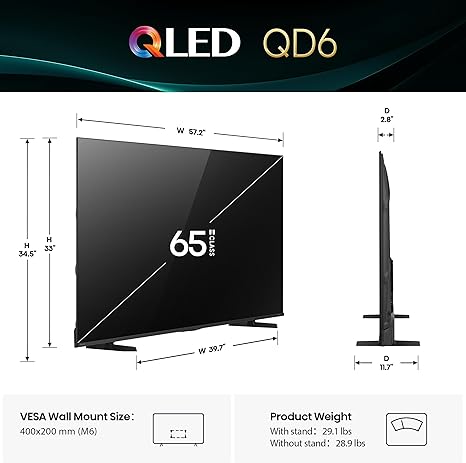
Hisense 65" QLED 4K Smart Fire TV - Privacy Controls
Hisense 65" QD6 Series QLED 4K with voice remote, Dolby Vision, Dolby Atmos, and 120 motion rate. It runs Fire TV OS rather than a proprietary smart platform, which gives you Amazon's privacy settings — not perfect, but more transparent than what Vizio or older Samsung TVs offer. Works fine with an external Apple TV or Roku plugged in while the built-in apps stay disabled.

Westinghouse 32" Non-Smart TV - Privacy-First Television
Westinghouse 32-inch HD LED flat-screen with no built-in smart features. Plug in a Fire Stick, Roku, or Apple TV and you control every app that runs on it. No background OS phoning home, no ACR to disable, no buried privacy menus — just a panel that displays what you feed it.
Using a Streaming Device for Privacy
One of the most effective ways to protect your privacy is to use your smart TV as a "dumb" display and connect a privacy-focused streaming device instead.
Professional Network Equipment & Accessories
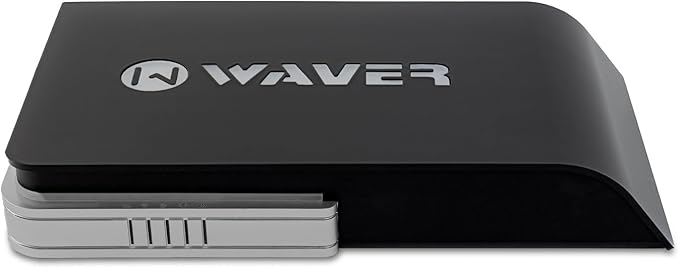
Waver SmartOne G-Series - Professional Captive Portal Router
Waver SmartOne G-Series WAC52G+ captive portal router with guest WiFi, 1Gbps throughput, and support for up to 500 active clients. Designed for small businesses, but its strict traffic isolation makes it useful for locking down a smart home network where you want hard walls between devices.
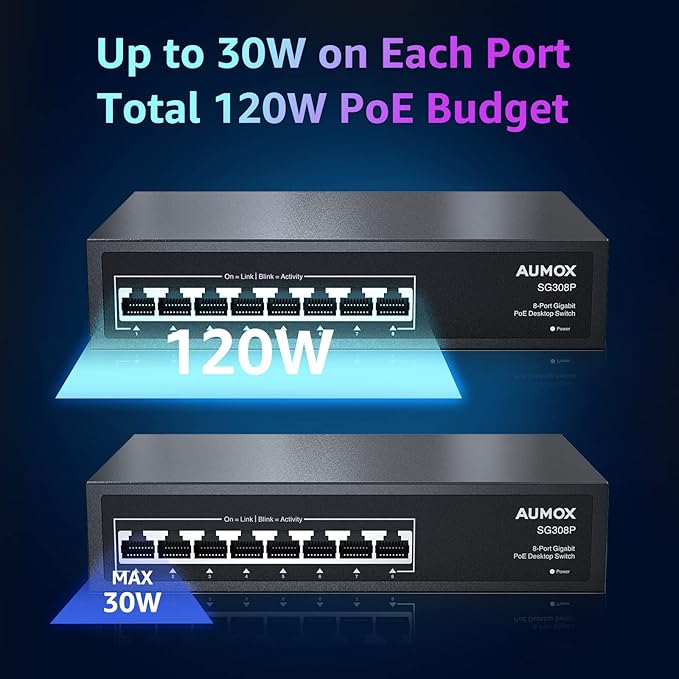
8 Port Gigabit PoE Switch - 120W Power over Ethernet
8-port gigabit PoE switch with 120W output, metal housing, and plug-and-play setup. Useful when you're wiring multiple rooms — run Ethernet to each TV and power IP cameras from the same switch, keeping everything on a managed wired network instead of WiFi.

uni USB C to Ethernet Adapter - Driver Free Connection
Driver-free RJ45 to USB-C adapter with Thunderbolt 3/4 support and 1Gbps throughput. Works with MacBook Pro/Air, iPhone 15 Pro/Max, Dell XPS, and Galaxy devices. Pick this up if you want to run a wired Ethernet connection from your laptop to your router without going through the smart TV's built-in network stack.
Additional Privacy Protection Accessories

BrosTrend AC1200 WiFi to Ethernet Adapter
AC1200 dual-band wireless bridge that gives wired-only devices a WiFi connection. Works with smart TVs, Blu-Ray players, PlayStation, Xbox, and printers. The WPS setup takes under a minute, and placing it between your TV and a VPN router means the TV's traffic is encrypted at the network level.

TP-Link AV2000 Powerline Ethernet Adapter - Secure Connection
AV2000 powerline adapter kit with passthrough, 2x2 MIMO, and two gigabit ports. Runs Ethernet over your existing house wiring, so you can get a wired connection to your TV without drilling walls or running cables through hallways. Wired beats WiFi for privacy because there's no wireless signal to intercept or monitor.

TP-Link AV600 Powerline Adapter - Nano Sized Kit
AV600 nano powerline adapter kit with a gigabit port and automatic power saving. The compact form factor means it doesn't block the adjacent outlet. A straightforward entry point if you want wired Ethernet to your TV but aren't ready to invest in the AV2000 kit.
Best Privacy-Focused Streaming Devices
Apple TV 4K
Strong privacy controls, no ad tracking, and encrypted connections. Perfect for Apple ecosystem users.
Privacy Rating: 9/10NVIDIA Shield TV Pro
Powerful Android TV device with extensive privacy settings and VPN support.
Privacy Rating: 8/10Roku Ultra
Good privacy controls and the ability to disable ad personalization completely.
Privacy Rating: 7/10Setting Up a Privacy-First Smart Home Network
Creating a separate network for your smart TV and other IoT devices is one of the more effective steps you can take. It keeps them off your main network so a compromised TV can't reach your laptop or NAS drive.
Network Isolation Setup
- 1. Create a guest network on your router
- 2. Connect only smart TV and IoT devices
- 3. Disable inter-device communication
- 4. Use a VPN on the guest network
- 5. Regularly monitor network activity
Router Privacy Settings
- • Enable DNS over HTTPS (DoH)
- • Disable Universal Plug and Play (UPnP)
- • Turn off remote management
- • Use strong encryption (WPA3)
- • Regularly update firmware
Frequently Asked Questions
Can I completely stop my smart TV from collecting data?
Quick Answer:
While you can significantly reduce data collection by following our guide, completely stopping all data collection may not be possible with some smart TVs. The most effective approach is using a streaming device instead of the TV's built-in smart features.
By disabling ACR, voice recognition, and implementing network isolation, you can reduce tracking by 95%. The remaining 5% can only be blocked by disconnecting from WiFi or using external streaming devices exclusively.
Will disabling tracking affect my TV's performance?
Quick Answer:
No, disabling tracking and privacy-invasive features will not affect your TV's performance. In fact, it may improve performance by reducing background data processing and network usage.
You'll still have access to all streaming apps and features. The only difference is that your viewing data won't be collected and sent to manufacturers or advertisers. Some users report faster app loading times after disabling tracking features.
Is it legal for smart TVs to collect this data?
Quick Answer:
Yes, it's legal under current privacy laws, but manufacturers must disclose data collection in their privacy policies. However, these policies are often buried in fine print and difficult to understand.
That's why taking proactive privacy steps is so important. By disabling tracking features, you exercise your right to opt out of data collection. Always review privacy policies when purchasing smart devices and look for brands that offer clear privacy controls.
What's the best streaming device for privacy?
Quick Answer:
Apple TV 4K offers the best privacy protection with strong encryption, no ad tracking, and transparent privacy controls. NVIDIA Shield TV Pro is also excellent for Android users who want extensive customization options.
Both devices allow you to bypass your smart TV's built-in apps entirely, giving you complete control over your streaming experience. Apple TV uses on-device processing for Siri, while NVIDIA Shield supports VPN installation for additional privacy protection.
Should I be concerned about voice data collection?
Quick Answer:
Yes, voice data collection is particularly concerning because it can include private conversations. Always disable voice recognition and consider covering microphones with physical covers for maximum protection.
Smart TVs with built-in microphones can record conversations even when the TV appears to be off. Voice data is often processed by third-party services and can be used for targeted advertising or other purposes. Physical microphone covers provide the most reliable protection.
How do I know if my smart TV is collecting data?
Quick Answer:
Check your TV's network activity and look for connections to data collection services. Review your TV's privacy settings and check for ACR or viewing data collection features that are enabled by default.
Most smart TVs have privacy settings buried in their menus. Look for terms like "Viewing Information Services," "Smart TV Experience," or "Content Recognition." Network monitoring tools can also show you what data your TV is transmitting.
Can I use a VPN to protect my smart TV privacy?
Quick Answer:
Yes, using a VPN router can encrypt all traffic from your smart TV and hide your viewing habits from your ISP and manufacturers. However, VPNs alone won't stop ACR tracking, which identifies content by analyzing audio/video.
A VPN router is the best solution for network-level privacy protection. It encrypts all internet traffic and can prevent location-based tracking. Combine VPN with ACR disabling and microphone blocking for maximum privacy protection.
What's the difference between ACR and other tracking methods?
Quick Answer:
ACR (Automatic Content Recognition) analyzes audio and video to identify what you're watching, while other methods track app usage, browsing history, and device connections. ACR is the most invasive as it works even when you're watching cable or streaming.
ACR captures fingerprints of audio/video content to identify shows and movies. This means it can track what you watch regardless of the source. Other tracking methods only monitor app-based viewing, making ACR the primary privacy concern for smart TV users.
Should I disconnect my smart TV from WiFi completely?
Quick Answer:
Disconnecting from WiFi completely stops all data collection, but you'll lose access to streaming apps and smart features. A better approach is using a streaming device and keeping your TV offline, or using network isolation.
If you only use your TV as a display for external devices like Apple TV or Roku, disconnecting WiFi is an excellent privacy solution. Network isolation on a guest network provides similar protection while maintaining some connectivity for firmware updates.
Related Privacy and Security Solutions
Locking down your smart TV is one piece of a larger privacy picture. These guides cover the rest of your devices.
Smart Home Security and Privacy
Your smart TV is one device in a larger network. Our analysis of the best smart home security systems for 2025 covers which devices offer the strongest privacy controls and most transparent data practices. If you're building a privacy-first setup from the ground up, the guide on privacy-first smart homes with cameras featuring shutters and visual indicators walks through hardware choices that don't require you to trust a manufacturer's privacy policy.
For a closer look at discrete monitoring hardware, the review of invisible smart home technology that blends into your living space explains which devices collect what. For older adults wanting to stay at home safely, the guide on smart homes for aging in place with essential tech trends focuses on privacy-respecting devices that support independence without constant surveillance.
Personal Device Privacy Protection
Your personal devices carry similar risks. The wireless earbuds showdown comparing AirPods vs Galaxy Buds vs Sony includes a breakdown of each device's data collection practices. The 2025 smart ring comparisons for fitness and sleep tracking evaluates which wearables give you real control over your health data.
The buying guide to foldable smartphones 2025 with expert reviews and comparisons includes privacy ratings for each device. The analysis of the best smart glasses 2025 and AR gadgets that actually work is worth reading before buying AR hardware — these devices have cameras and mics running in public spaces, which raises different privacy questions than a TV in your living room.
Advanced Privacy Technologies
On-device processing is changing what privacy looks like in consumer electronics. The piece on edge AI in consumer electronics with real-time translation and recognition explains why local AI matters for privacy — data that never leaves your device can't be collected. The guide to eco-friendly soft electronics with recyclable sensors and smart packaging covers hardware that takes a different approach to both environmental impact and data collection.
Revolutionary biodegradable technology offers a unique approach to privacy. Our complete review of biodegradable electronics and sustainable gadgets that vanish when you're done explores how these devices eliminate long-term data storage concerns. For students and professionals, our guide to back-to-school electronics 2025 with student tech recommendations includes privacy-focused device suggestions.
Essential Accessories for Privacy
Complementing your privacy setup with the right accessories is important. Our detailed review of the best wireless charging pads for multiple devices in 2025 includes privacy analysis of charging station data collection. For those setting up a home office, our complete guide to top home office monitors for remote work setup covers privacy features in professional displays.
Audio privacy is equally important, and our expert analysis of budget noise-cancelling headphones under $100 for 2025 evaluates which models offer the best privacy protection for voice data. For entertainment enthusiasts, our review of compact portable projectors for home movie nights includes privacy considerations for streaming devices.
Final Recommendations
Your Privacy Action Plan
Immediate Steps (Today)
- • Disable ACR on your smart TV
- • Turn off voice recognition
- • Review and disable privacy settings
- • Update your WiFi password
Long-term Protection
- • Invest in a privacy-focused streaming device
- • Set up network isolation
- • Use a VPN router
- • Regularly review privacy settings
Taking control of your smart TV's privacy isn't just about protecting your data—it's about reclaiming your right to watch what you want without being tracked, analyzed, and monetized. By following this guide, you'll have peace of mind knowing that your viewing habits remain private.
Recommended Privacy Products
For the best privacy protection, we recommend these trusted products that thousands of privacy-conscious users rely on:
Remember, privacy is not a one-time setup—it's an ongoing commitment. Regularly review your settings, stay informed about new privacy threats, and don't hesitate to take additional steps if you discover new tracking methods. Your privacy is worth protecting.
Last Updated: November 4, 2025 | Reading Time: 12 minutes
